Learn how to use SQL SELECT to retrieve, filter, sort, group, and join relational data, with practical examples and database-specific notes.
The sql select statement is the foundation of reading data from a relational database. Whether you are building an API, investigating production data, or writing a report, SELECT is one of the commands you will use most often. Real-world queries quickly combine filtering, sorting, grouping, joins, aliases, and row limits.
This guide uses practical SQL and calls out important syntax differences between PostgreSQL, MySQL, SQLite, and SQL Server.
What Is the SQL SELECT Statement?
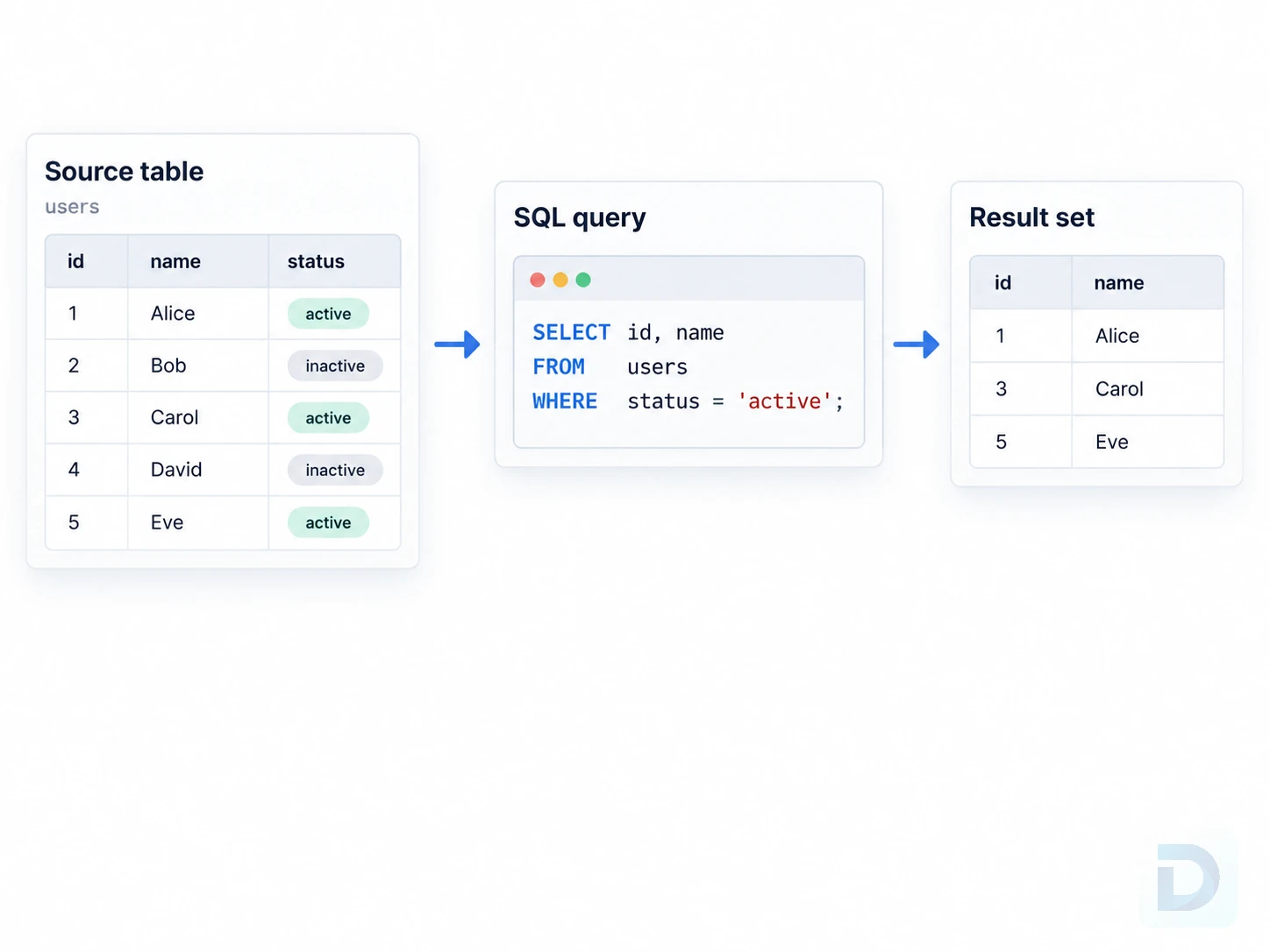
A simplified flow from source table to SQL SELECT query to returned result set.
A SELECT statement asks the database to return a result set. At its simplest, you name the columns you want and the table they come from.
Basic SELECT syntax
sql SELECT column1, column2 FROM table_name;
For example:
sql SELECT id, email FROM users;
This query returns the id and email values for every row in the users table.
You can also return expressions, constants, or calculated values:
sql SELECT product_name, price, price * 1.20 AS price_with_tax FROM products;
The AS keyword creates a column alias for the calculated expression.
How a SELECT query returns data
SQL's written order differs from its logical processing order. A query may be written as SELECT ... FROM ... WHERE ..., but conceptually the database first determines source rows, applies filters and grouping, and then produces the selected output.
A simplified logical order is:
| Written clause | Logical role |
|---|---|
FROM / JOIN | Identify source rows and relationships |
WHERE | Filter individual rows |
GROUP BY | Form groups |
HAVING | Filter groups |
SELECT | Produce output expressions |
DISTINCT | Remove duplicate result rows |
ORDER BY | Sort the final result |
LIMIT, TOP, or FETCH | Restrict returned rows |
This is a logical model, not a physical execution plan. Optimizers can transform operations internally. To inspect PostgreSQL execution, see Understanding PostgreSQL EXPLAIN and PostgreSQL EXPLAIN ANALYZE.
Selecting Columns and Rows
Most SQL queries do two things: choose which columns should appear and choose which rows should be returned.
Selecting specific columns
Prefer selecting only the columns you need:
sql SELECT id, first_name, last_name, email FROM customers;
This makes the intent of the query clear and avoids transferring unnecessary data.
You can rename columns in the result set with aliases:
sql SELECT first_name AS first, last_name AS last FROM customers;
Aliases are especially useful for calculated expressions, aggregate functions, and joins.
Using SELECT *
SELECT * returns all columns from the selected table:
sql SELECT * FROM customers;
It is convenient for exploration and debugging. In application code, explicit column lists are usually safer because schema changes can alter the result shape and unused columns can increase data transfer.
Filtering rows with WHERE
Use the WHERE clause to filter rows before they are returned:
sql SELECT id, email, status FROM users WHERE status = 'active';
You can combine conditions with AND and OR:
sql SELECT id, email FROM users WHERE status = 'active' AND created_at >= '2026-01-01';
Common operators include =, <>, >, <, >=, <=, IN, BETWEEN, LIKE, and IS NULL. To test missing values, use IS NULL or IS NOT NULL rather than column = NULL.
When values come from application input, use parameterized queries or your database driver's parameter binding instead of concatenating user input into SQL strings.
Removing duplicates with DISTINCT
SELECT DISTINCT removes duplicate result rows:
sql SELECT DISTINCT country FROM customers;
If multiple columns are selected, uniqueness applies to the combination:
sql SELECT DISTINCT country, city FROM customers;
Use DISTINCT when duplicate rows are not meaningful. Do not use it to hide duplicates caused by an incorrect join.
Sorting and Limiting Query Results
SQL does not guarantee row order unless you explicitly request one with ORDER BY.
Sorting with ORDER BY
To sort query results:
sql SELECT id, name, created_at FROM projects ORDER BY created_at;
Ascending order is the default.
Ascending and descending order
Use ASC or DESC explicitly when it improves readability:
sql SELECT id, name, created_at FROM projects ORDER BY created_at DESC;
You can also sort by multiple expressions, for example:
sql ORDER BY department ASC, salary DESC;
Limiting returned rows across databases
The syntax for limiting rows is database-specific.
PostgreSQL, MySQL, and SQLite commonly use LIMIT:
sql SELECT id, created_at FROM orders ORDER BY created_at DESC LIMIT 20;
SQL Server supports TOP:
sql SELECT TOP 20 id, created_at FROM orders ORDER BY created_at DESC;
SQL Server also supports OFFSET ... FETCH when used with ORDER BY:
sql SELECT id, created_at FROM orders ORDER BY created_at DESC OFFSET 0 ROWS FETCH NEXT 20 ROWS ONLY;
For predictable pagination, use an ORDER BY that produces a stable order. If the sort key can contain duplicates, adding a unique tiebreaker such as a primary key can make the ordering deterministic.
Using SELECT with Aggregation and Grouping
Aggregation turns multiple input rows into summary values. Typical use cases include counts, totals, averages, minimums, and maximums.
Aggregate functions
Common aggregate functions include:
sql SELECT COUNT(*) AS order_count, SUM(total) AS total_revenue, AVG(total) AS average_order_value, MIN(total) AS smallest_order, MAX(total) AS largest_order FROM orders;
COUNT(*) counts rows. Other aggregate functions normally operate on non-NULL values of the selected expression.
Grouping rows with GROUP BY
Use GROUP BY when you want one aggregate result per group:
sql SELECT status, COUNT(*) AS order_count FROM orders GROUP BY status;
You can group by multiple columns. In general, selected columns that are not aggregated must also be valid grouping expressions according to the database's rules.
Filtering grouped results with HAVING
WHERE filters individual rows before grouping. HAVING filters groups after aggregation.
sql SELECT customer_id, COUNT(*) AS order_count FROM orders WHERE status = 'paid' GROUP BY customer_id HAVING COUNT(*) >= 5;
Here, WHERE removes unpaid orders first. The remaining rows are grouped by customer, and HAVING keeps only customers with at least five paid orders.
Using SELECT with Multiple Tables
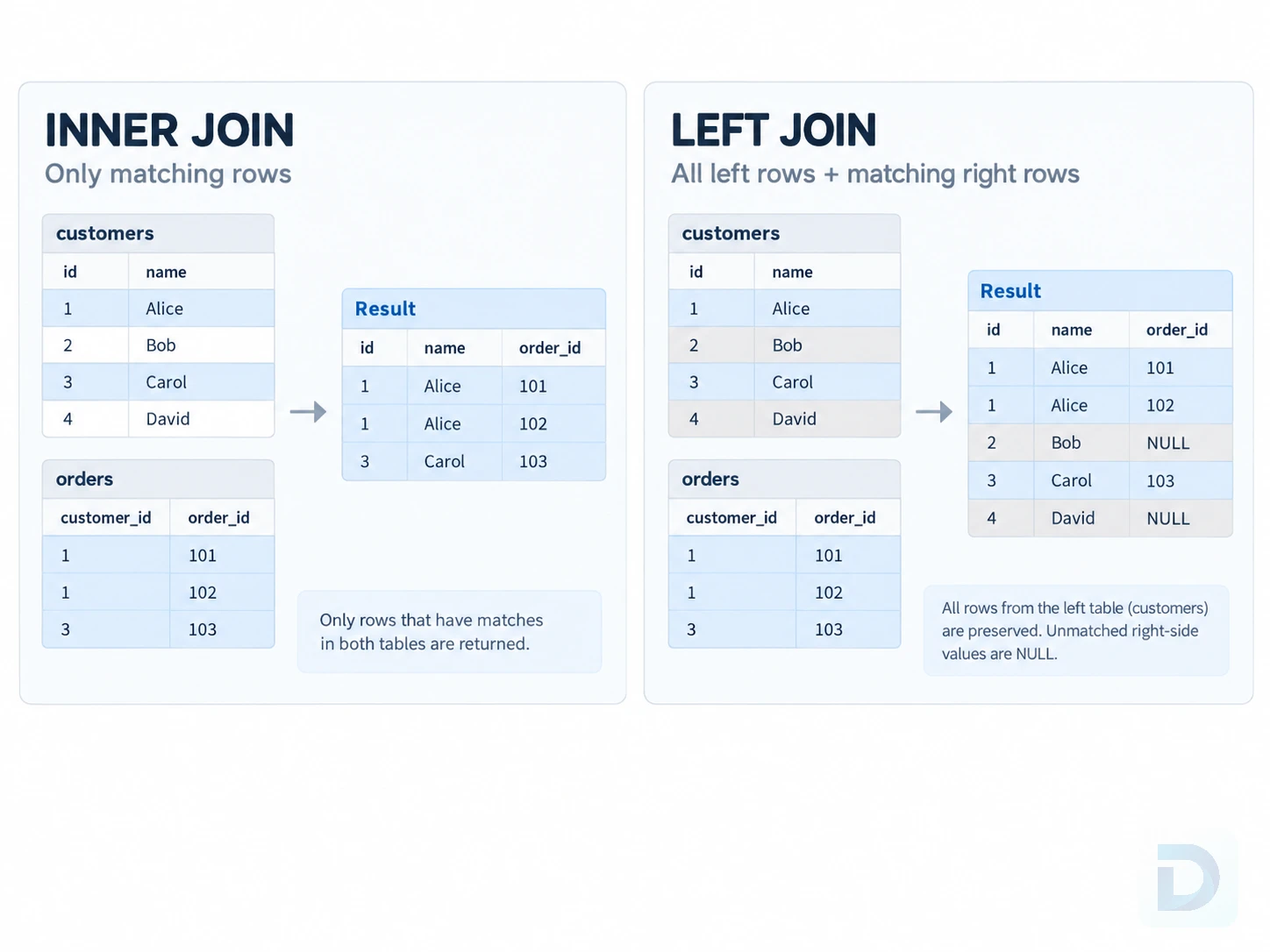
INNER JOIN returns matching rows, while LEFT JOIN preserves all rows from the left table.
Relational applications frequently need data from more than one table. Joins connect rows using related columns such as primary and foreign keys.
Table and column aliases
Aliases make multi-table queries easier to read:
sql SELECT o.id, o.total, c.name AS customer_name FROM orders AS o JOIN customers AS c ON c.id = o.customer_id;
The aliases o and c shorten references without changing table names.
INNER JOIN
An INNER JOIN returns rows that match on both sides of the join condition:
sql SELECT o.id, o.total, c.email FROM orders AS o INNER JOIN customers AS c ON c.id = o.customer_id;
If an order has no matching customer row, it is not included in the result.
LEFT JOIN
A LEFT JOIN keeps every row from the left table even when no matching row exists on the right:
sql SELECT c.id, c.email, o.id AS order_id FROM customers AS c LEFT JOIN orders AS o ON o.customer_id = c.id;
Customers without an order still appear, with NULL values for columns from orders.
This makes LEFT JOIN useful for finding rows without a match. In the following example, orders.id is assumed to be a non-nullable primary key:
sql SELECT c.id, c.email FROM customers AS c LEFT JOIN orders AS o ON o.customer_id = c.id WHERE o.id IS NULL;
When you use this anti-join pattern, test a right-side column that cannot be NULL for a real match, typically the right table's primary key. Testing a nullable column can incorrectly classify matched rows as unmatched.
Combining filtering, sorting, and joins
Real application queries often combine several clauses:
sql SELECT o.id, o.created_at, o.total, c.email AS customer_email FROM orders AS o INNER JOIN customers AS c ON c.id = o.customer_id WHERE o.status = 'paid' AND o.total >= 100 ORDER BY o.created_at DESC;
Each clause has a clear role: joins define relationships, WHERE filters rows, SELECT defines output, and ORDER BY controls order.
Examples
Find the latest active users
In PostgreSQL, MySQL, and SQLite:
sql SELECT id, email, created_at FROM users WHERE status = 'active' ORDER BY created_at DESC LIMIT 10;
In SQL Server, the equivalent can use TOP:
sql SELECT TOP 10 id, email, created_at FROM users WHERE status = 'active' ORDER BY created_at DESC;
Count orders by status
sql SELECT status, COUNT(*) AS order_count FROM orders GROUP BY status ORDER BY order_count DESC;
Find customers with high paid order totals
sql SELECT c.id, c.email, SUM(o.total) AS paid_total FROM customers AS c INNER JOIN orders AS o ON o.customer_id = c.id WHERE o.status = 'paid' GROUP BY c.id, c.email HAVING SUM(o.total) >= 1000 ORDER BY paid_total DESC;
A SQL SELECT query grows naturally: start with required columns and tables, then add filtering, grouping, and sorting as needed.
SQL SELECT Best Practices and Common Mistakes
Avoid unnecessary SELECT * queries
Use explicit columns in application queries. SELECT * remains useful for interactive investigation in a database client such as DBO Studio.
Use clear aliases and explicit columns
Use understandable aliases and qualify ambiguous columns:
sql SELECT o.id AS order_id, c.id AS customer_id FROM orders AS o JOIN customers AS c ON c.id = o.customer_id;
Filter as precisely as possible
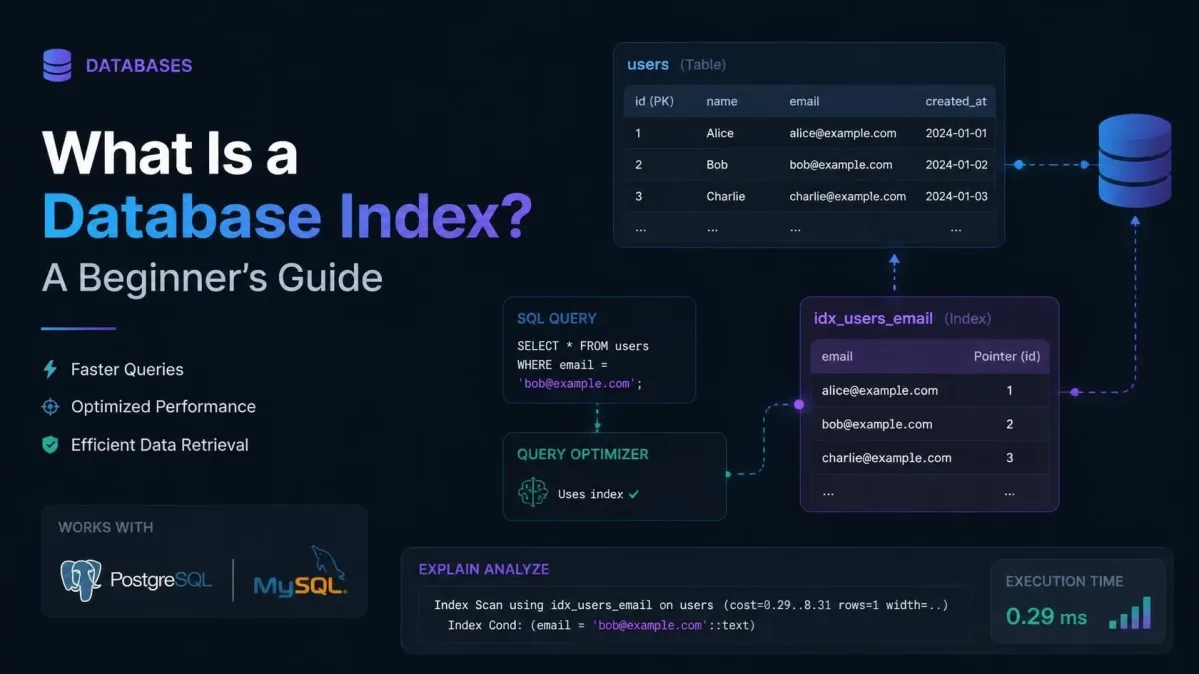
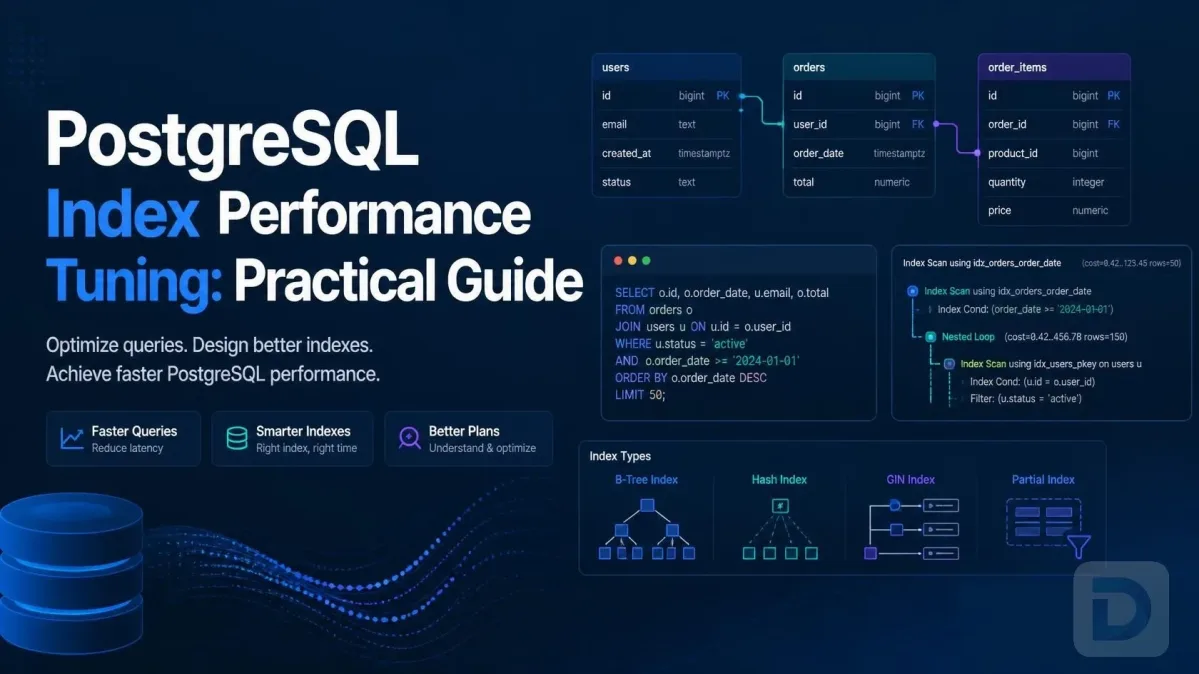
Filter in the database instead of returning large result sets just to filter them in application code. Indexes can help selective filters and joins when the optimizer can use an appropriate access path. See What Is a Database Index? and the PostgreSQL query optimization guide.
Understand database-specific syntax differences
Core clauses are widely shared, but databases differ in row limiting, date and string functions, identifier quoting, JSON operations, and advanced features. For portable SQL, isolate dialect-specific code and test against every supported engine.
Key Takeaways
SELECTdefines the data you want returned from a database query.- Use explicit column lists for stable, readable application code.
- Use
WHEREto filter rows andHAVINGto filter aggregated groups. DISTINCTremoves duplicate result rows, but it should not be used to hide incorrect joins.- Use
ORDER BYwhenever result order matters. - Row-limiting syntax differs between database engines.
GROUP BYcombines rows into groups for aggregate calculations.INNER JOINreturns matching rows;LEFT JOINpreserves all rows from the left side.- For anti-joins, test a non-nullable right-side column when checking for missing matches.
- As queries become slower or more complex, inspect indexes and execution plans rather than guessing.
FAQ
SELECT retrieves data and returns it as a result set. It can read columns from one or more tables, calculate expressions, aggregate rows, and combine data through joins.
In several major databases, yes. PostgreSQL, MySQL, and SQL Server can evaluate expressions without selecting from a table, for example SELECT 1;. Exact capabilities and special cases vary by database, so portable application SQL should be tested against the engines you support.
Yes. A SELECT statement can combine tables using joins such as INNER JOIN and LEFT JOIN. Queries can also use subqueries, common table expressions, and set operations when those approaches better match the problem.
They serve a similar purpose but use different syntax. PostgreSQL, MySQL, and SQLite commonly use LIMIT, while SQL Server supports TOP and OFFSET ... FETCH. The exact row-limiting syntax is part of the database dialect.
Use a join when you need to combine related rows into one result. A subquery can be clearer when you need an intermediate scalar value, an existence test, or a separately aggregated result. Modern optimizers may transform either form, so choose the version that is correct and easiest to maintain, then inspect the execution plan if performance matters.
Conclusion
The SQL SELECT statement starts with a simple idea—choose data from a table—but scales to nearly every read operation in a relational application. Once you understand filters, sorting, grouping, joins, aliases, and row limits, you can build queries that are clear and maintainable.
The next step is learning how the database executes those queries and how indexes affect performance through execution plans and query optimization.
About the author

Founder & Lead Developer at DBO Studio
Full-stack developer and creator of DBO Studio, a modern database management tool. Passionate about PostgreSQL, MySQL, SQLite, database performance, developer productivity, and building tools that simplify database workflows.
Try this in DBO Studio
Explore SQL workflows visually in DBO Studio — schemas, queries, and plans in one place.
Our newsletter
Subscribe to DBO Studio’s newsletter for exclusive tutorials, tips & product updatesRelated posts