TL;DR
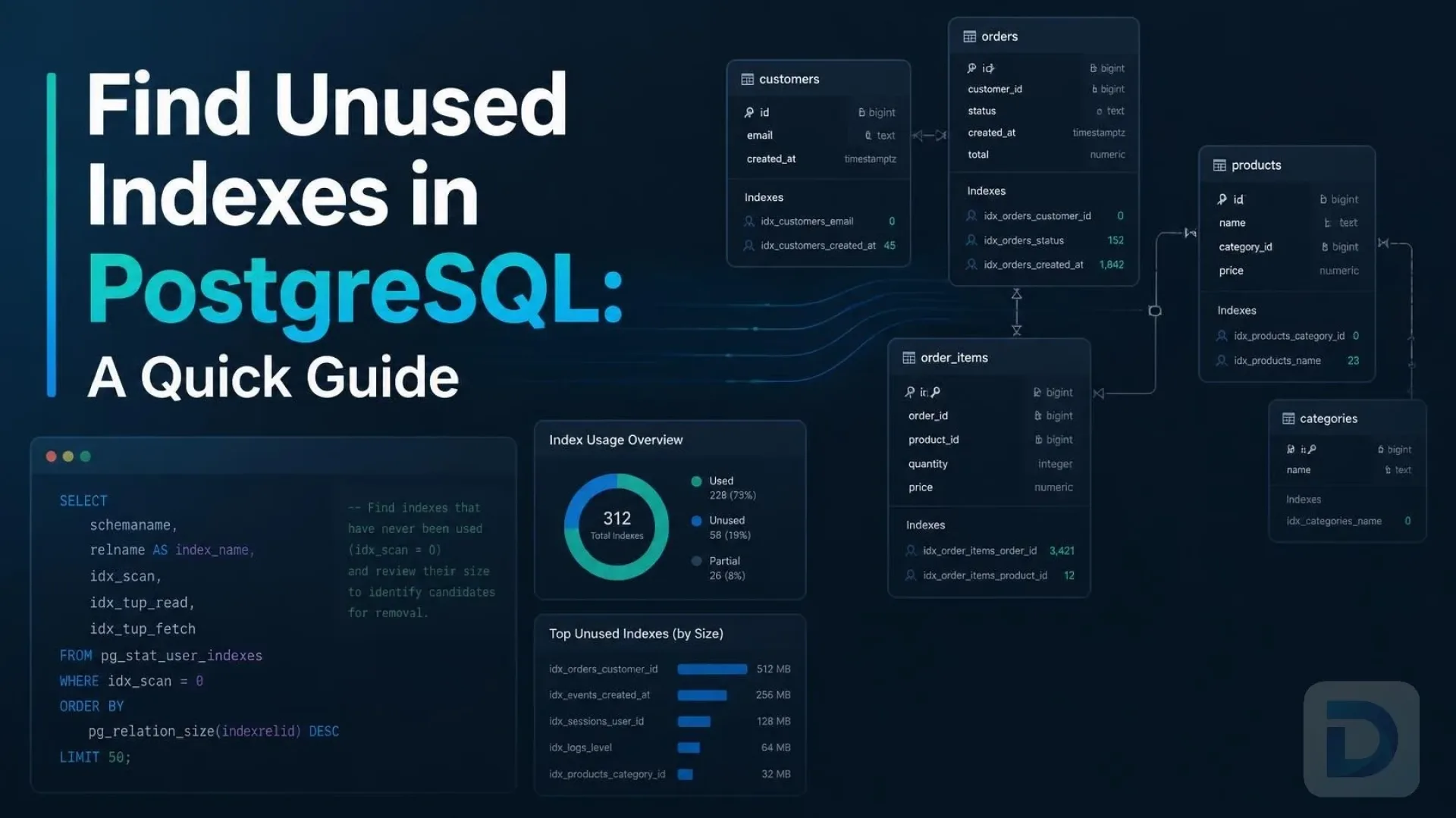
To find unused indexes in PostgreSQL, query the pg_stat_user_indexes system view and look for indexes with an idx_scan value of zero over a representative period. Removing these indexes reduces storage bloat, speeds up write operations, and optimizes database maintenance.
Every PostgreSQL database relies on indexes to speed up read queries and enforce data integrity. However, as applications evolve, schemas change, and queries are optimized, some indexes inevitably become obsolete. Learning how to find unused indexes in postgresql is a critical database administration task that directly impacts your system's efficiency and operational costs.
Unused indexes consume valuable disk space, contribute to index bloat, and significantly slow down INSERT, UPDATE, and DELETE operations because the database must maintain them during every single write. In this comprehensive guide, we will explore how to identify these redundant structures, evaluate their impact on your workload, and safely remove them to optimize your PostgreSQL database performance.
Why Unused Indexes Harm PostgreSQL Performance
While indexes are essential for fast data retrieval, they are far from free. Every index you create adds measurable overhead to your database operations and infrastructure.
Storage Overhead and Index Bloat
Indexes require physical disk space and memory in the shared buffers. Over time, as rows are updated and deleted, indexes can suffer from index bloat, where dead tuples occupy space within the B-tree structure. Even if an index is never used for read queries, it still consumes storage, requires maintenance during VACUUM operations, and forces the autovacuum daemon to work harder, consuming CPU and I/O resources.
Slower Write Operations and WAL Generation
Whenever you insert, update, or delete a row, PostgreSQL must synchronously update every index associated with that table. If a table has five unused indexes, every write operation performs five unnecessary index updates. This introduces latency, increases disk I/O load, and generates more Write-Ahead Log (WAL) records. Excessive WAL generation can slow down replication to standby servers and increase the time required for Point-in-Time Recovery (PITR), ultimately degrading the overall throughput and resilience of your application.
How to Find Unused Indexes in PostgreSQL
PostgreSQL tracks index usage statistics automatically, making it straightforward to identify candidates for removal without relying on third-party monitoring tools.
Using pg_stat_user_indexes
The primary tool for checking index usage is the pg_stat_user_indexes system view. This view contains cumulative statistics about index access for all user-defined tables. By joining it with pg_indexes and pg_index, you can map usage statistics to specific table names, index names, and constraint definitions. For deeper insights into PostgreSQL statistics, consult the official monitoring statistics documentation.
Checking Index Scans with idx_scan
The most important column in pg_stat_user_indexes is idx_scan. This counter tracks the number of times the index was used by the query planner to execute an index scan. If idx_scan is zero, it strongly suggests the index has not been used since the statistics were last reset or since the database was started.
Factoring in Database Age and Reset Stats
A zero idx_scan value only means the index hasn't been used since the stats were collected. If your database was restarted recently, or if the statistics were manually reset, the data isn't representative. You must ensure your statistics cover a full business cycle (e.g., end-of-month processing, weekend batch jobs, or seasonal traffic spikes) before concluding an index is truly unused. You can check when the stats were last reset by querying the stats_reset column in pg_stat_user_tables.
Query to Identify Unused Indexes
To get a comprehensive, actionable list of unused indexes, you can run a targeted SQL query against the system catalogs.
The SQL Query
SELECT
    s.schemaname,
    s.relname AS tablename,
    s.indexrelname AS indexname,
    pg_size_pretty(pg_relation_size(s.indexrelid)) AS index_size,
    s.idx_scan
FROM pg_stat_user_indexes s
JOIN pg_index i ON s.indexrelid = i.indexrelid
WHERE s.idx_scan = 0
  AND NOT i.indisunique
  AND NOT i.indisprimary
  AND s.schemaname NOT IN ('pg_catalog', 'information_schema')
ORDER BY pg_relation_size(s.indexrelid) DESC;
Interpreting the Results
This query filters out primary keys (indisprimary) and unique constraints (indisunique), as these are enforced by the database to maintain data integrity, regardless of read performance. It also sorts the results by index_size descending, allowing you to prioritize dropping the largest unused indexes first to reclaim the most disk space and reduce maintenance overhead.
Note: Always verify that the index isn't used exclusively for rare but critical queries (e.g., annual financial reporting, data warehouse exports, or disaster recovery scripts) before dropping it.
Safely Removing Unused Indexes

Decision flowchart for evaluating and safely dropping unused indexes in PostgreSQL.
Once you have identified an unused index, you must remove it carefully to avoid disrupting active queries or locking production tables.
Testing Before Dropping
Before executing a DROP INDEX command in production, test the removal in a staging environment that mirrors your production workload. You can also use the EXPLAIN and EXPLAIN ANALYZE commands on your most critical queries to ensure the query planner doesn't unexpectedly fall back to a sequential scan that degrades performance.
Using CONCURRENTLY to Avoid Locks
Dropping a large index using the standard DROP INDEX command requires an ACCESS EXCLUSIVE lock on the table, which blocks all reads and writes until the operation completes. In a production environment, this can cause severe downtime and application timeouts.
To avoid this, always use the CONCURRENTLY keyword:
DROP INDEX CONCURRENTLY schema_name.index_name;
This command releases the lock quickly, allowing normal database operations to continue while PostgreSQL safely removes the index in the background. Be aware that DROP INDEX CONCURRENTLY cannot be executed inside a transaction block and may take longer to complete if there are long-running transactions holding snapshots. For more details, refer to the official PostgreSQL DROP INDEX documentation.
If you prefer a visual database management experience to inspect your indexes, run queries, and manage schema changes before making structural modifications, you can use DBO Studio, a modern cross-platform database GUI built for developers and DBAs.
FAQ
You should wait long enough to capture a full business cycle. For most SaaS applications, 30 to 90 days is sufficient. However, if your application runs critical monthly, quarterly, or annual batch jobs, ensure those specific processes have executed while the statistics were being tracked.
A standard DROP INDEX command acquires an ACCESS EXCLUSIVE lock, blocking all reads and writes. However, using DROP INDEX CONCURRENTLY avoids this by only taking a brief SHARE UPDATE EXCLUSIVE lock, allowing normal DML operations to continue uninterrupted while the index is removed in the background.
pg_stat_user_indexes only shows statistics for user-defined tables and indexes. pg_stat_all_indexes includes both user-defined objects and internal system catalogs. For application optimization and schema cleanup, you should almost always query pg_stat_user_indexes to avoid interfering with internal PostgreSQL operations.
Unused indexes do not directly slow down read queries. However, they consume shared buffer cache memory. If the cache is filled with unused index pages, it leaves less room for frequently accessed data and active indexes, which can indirectly degrade overall read performance and increase disk I/O.
You can reset the statistics counters by executing SELECT pg_stat_reset();. Be aware that this clears all statistical views, including table scans and transaction counts. It is usually better to rely on the stats_reset column in pg_stat_user_tables to see when the last reset occurred rather than forcing a reset in a production environment.
Key Takeaways
- Monitor
idx_scan: Usepg_stat_user_indexesto find indexes with zero scans over a meaningful period. - Protect Constraints: Never drop indexes that enforce
PRIMARY KEYorUNIQUEconstraints, as they are required for data integrity. - Consider the Timeline: Ensure your statistics cover rare but critical application workloads like batch processing or reporting.
- Avoid Downtime: Always use
DROP INDEX CONCURRENTLYin production environments to prevent table locks. - Reclaim Resources: Removing unused indexes reduces index bloat, speeds up write operations, lowers WAL generation, and frees up disk space.
Conclusion
Maintaining a clean, optimized schema is just as important as writing efficient SQL queries. By regularly auditing your database to find unused indexes in PostgreSQL, you can significantly improve write throughput, reduce storage costs, and simplify database maintenance. Tools like DBO Studio make it easy to explore your database schemas, visualize table structures, and manage your PostgreSQL instances efficiently. Keep your indexes lean, monitor your statistics, and your database will perform at its best.
About the author

Founder & Lead Developer at DBO Studio
Full-stack developer and creator of DBO Studio, a modern database management tool. Passionate about PostgreSQL, MySQL, SQLite, database performance, developer productivity, and building tools that simplify database workflows.
Try this in DBO Studio
Explore PostgreSQL workflows visually in DBO Studio — schemas, queries, and plans in one place.
Our newsletter
Subscribe to DBO Studio’s newsletter for exclusive tutorials, tips & product updatesRelated posts