Learn how SQL WHERE conditions filter rows, combine multiple predicates, handle NULL values, and work safely with SELECT, UPDATE, and DELETE statements.
Introduction
The sql where clause filters rows by applying one or more conditions to the data considered by a SQL statement. In practical terms, it turns a broad operation such as “return all customers” into a targeted one such as “return active customers in Germany who signed up this year.”
You will use WHERE most often with SELECT, but the same filtering mechanism is also essential with UPDATE and DELETE. That makes it both powerful and safety-critical: a precise predicate affects exactly the rows you intend, while a missing or incorrect predicate can read, modify, or remove far more data than expected.
If you are still learning basic retrieval, start with the SQL SELECT statement. This guide focuses specifically on SQL row filtering, boolean expressions, comparison operators, logical operators, and the most common predicates used in production queries.
SQL WHERE Clause Syntax
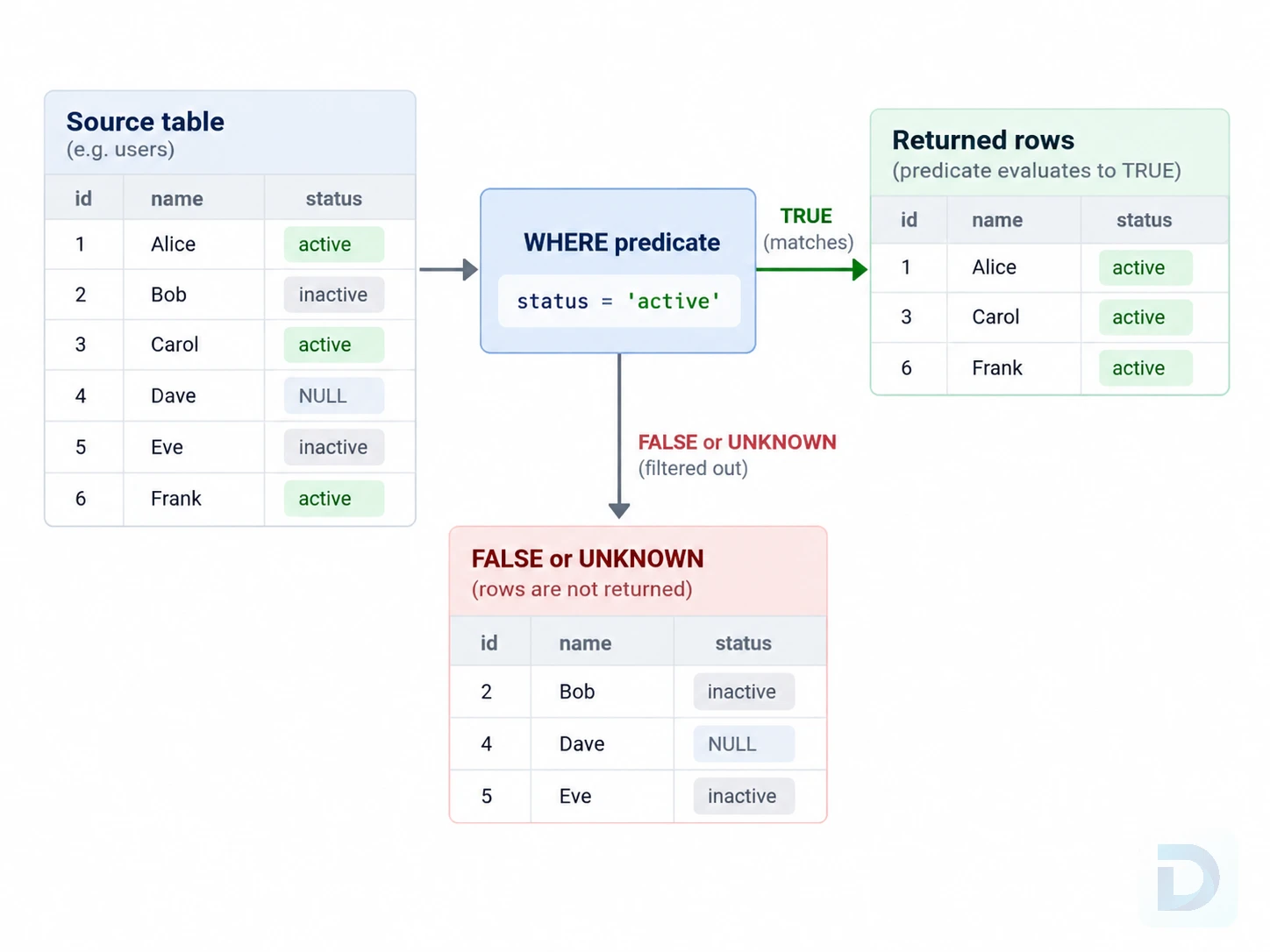
How a WHERE condition filters candidate rows before returning the matching result set.
The basic SQL WHERE syntax is straightforward:
sql SELECT column1, column2 FROM table_name WHERE condition;
The database evaluates the condition for candidate rows. Rows for which the predicate evaluates to TRUE are kept. Rows for which it evaluates to FALSE or UNKNOWN are filtered out.
For example:
sql SELECT id, name, country FROM customers WHERE country = 'Netherlands';
This returns only customers whose country value equals Netherlands.
A WHERE condition is a boolean expression, often called a predicate. A simple predicate compares one column with one value, but real queries often combine several predicates.
sql SELECT id, name, country FROM customers WHERE country = 'Netherlands' AND is_active = TRUE;
SQL uses three-valued logic in many expressions: TRUE, FALSE, and UNKNOWN. The third state matters especially when NULL is involved. This is why expressions such as email = NULL do not behave like normal equality checks.
PostgreSQL's official documentation provides a concrete reference for WHERE filtering in table expressions, including how rows are tested against a search condition.
Filtering with Comparison and Logical Operators
Comparison operators are the foundation of most SQL conditions.
| Operator | Meaning | Example |
|---|---|---|
= | Equal to | status = 'active' |
<> or != | Not equal to | status <> 'archived' |
> | Greater than | price > 100 |
< | Less than | stock < 10 |
>= | Greater than or equal to | created_at >= '2026-01-01' |
<= | Less than or equal to | score <= 50 |
<> is the standard SQL not-equal operator. != is also supported by major database systems, but when portability matters, <> is the safer notation to recognize.
Combining conditions with AND and OR
Use AND when every condition must be true:
sql SELECT id, name, plan FROM users WHERE status = 'active' AND plan = 'pro';
Use OR when any condition may be true:
sql SELECT id, name, country FROM customers WHERE country = 'Netherlands' OR country = 'Germany';
You can combine multiple conditions in the same query:
sql SELECT id, name, plan, country FROM users WHERE status = 'active' AND (plan = 'pro' OR country = 'Netherlands');
This is a common SQL WHERE multiple conditions pattern. The account must be active, and it must either use the pro plan or belong to a customer in the Netherlands.
Condition precedence
Parentheses are important when AND and OR appear together. AND normally has higher precedence than OR, so this:
sql WHERE status = 'active' AND plan = 'pro' OR plan = 'team'
is not equivalent to:
sql WHERE status = 'active' AND (plan = 'pro' OR plan = 'team')
Even when the default precedence produces the intended result, parentheses make SQL WHERE AND OR logic easier to review and maintain.
Excluding conditions with NOT
NOT reverses a condition:
sql SELECT id, name FROM users WHERE NOT status = 'disabled';
For a simple comparison, a direct not-equal expression can be clearer:
sql SELECT id, name FROM users WHERE status <> 'disabled';
NOT becomes particularly useful when combined with IN, BETWEEN, LIKE, EXISTS, and other predicates.
Using IN, BETWEEN, LIKE, and NULL Conditions
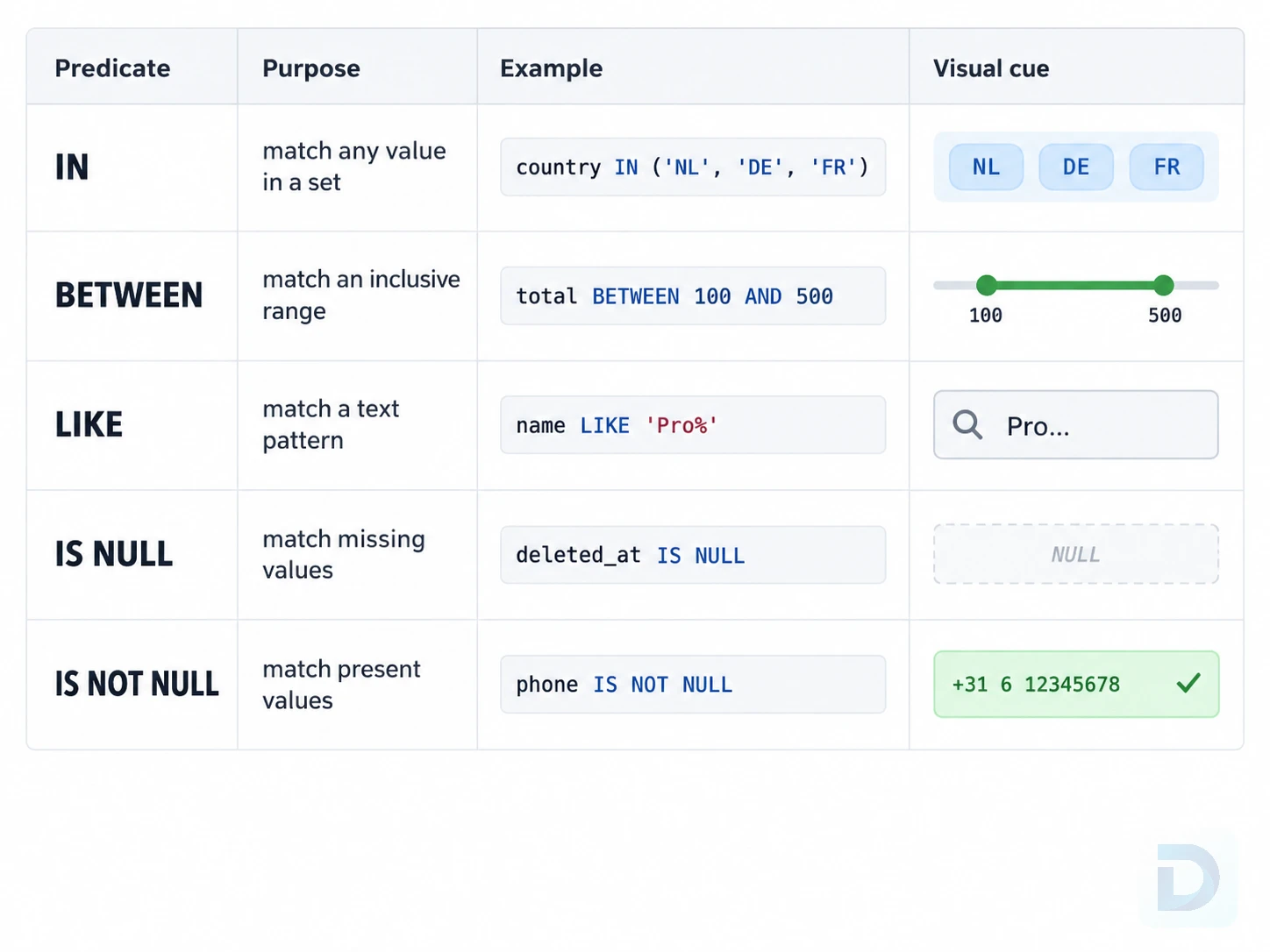
Common SQL filtering predicates and the types of conditions they express.
Several SQL WHERE operators express common filters more clearly than long chains of comparisons.
Filtering multiple values with IN
Use the IN operator when a value may match one of several alternatives:
sql SELECT id, name, country FROM customers WHERE country IN ('Netherlands', 'Germany', 'France');
This is generally easier to read than repeating the same column in several OR conditions.
You can negate the condition as well:
sql SELECT id, name, role FROM users WHERE role NOT IN ('admin', 'owner');
Be careful when NULL can appear in the values involved in a NOT IN expression. Because SQL uses three-valued logic, a null value can cause comparisons to evaluate to UNKNOWN, producing results that may surprise developers expecting ordinary boolean logic.
Filtering ranges with BETWEEN
BETWEEN expresses an inclusive range:
sql SELECT id, total FROM orders WHERE total BETWEEN 100 AND 500;
The boundary values are included. For ordinary numeric values, this is equivalent to:
sql WHERE total >= 100 AND total <= 500
For timestamps, explicit ranges are often easier to reason about. To select everything from September 1, 2026, a half-open range avoids guessing an end-of-day timestamp:
sql SELECT id, created_at FROM orders WHERE created_at >= '2026-09-01' AND created_at < '2026-09-02';
The exact interpretation of date and timestamp literals depends on the database and data type, so check the behavior of your target system when time zones or timestamp types are involved.
Pattern matching with LIKE
The SQL WHERE LIKE predicate performs simple text pattern matching. % represents any sequence of characters, while _ represents a single character.
sql SELECT id, name FROM products WHERE name LIKE 'Pro%';
This matches values beginning with Pro.
To match an email domain:
sql SELECT id, email FROM users WHERE email LIKE '%@example.com';
Case sensitivity is database- and collation-dependent. Do not assume LIKE behaves identically across PostgreSQL, MySQL, SQLite, SQL Server, or different collations.
Checking NULL values
For SQL WHERE NULL checks, use IS NULL and IS NOT NULL:
sql SELECT id, name FROM users WHERE deleted_at IS NULL;
sql SELECT id, name FROM users WHERE phone IS NOT NULL;
Do not use:
sql WHERE deleted_at = NULL
NULL represents an unknown or missing value, so ordinary equality comparison with NULL does not evaluate to TRUE. PostgreSQL's official comparison functions documentation includes additional detail about null-related predicates and comparison behavior.
Using WHERE with SELECT, UPDATE, and DELETE
The same filtering idea appears across several SQL statements, but the consequences differ significantly.
WHERE with SELECT
A SELECT WHERE query filters the rows returned to the client:
sql SELECT id, email, status FROM users WHERE status = 'inactive';
Because SELECT does not modify the matching rows, it is the best place to test and review a predicate before reusing it in a write operation.
WHERE with UPDATE
UPDATE WHERE limits which rows are modified:
sql UPDATE users SET status = 'inactive' WHERE last_login_at < '2025-01-01';
If the WHERE clause is omitted, the update applies to every row in the target table unless some other database-specific mechanism prevents it.
For important changes, inspect the candidate rows first:
sql SELECT id, email, status, last_login_at FROM users WHERE last_login_at < '2025-01-01';
WHERE with DELETE
DELETE WHERE limits which rows are removed:
sql DELETE FROM sessions WHERE expires_at < '2026-01-01';
Before executing the delete, verify the same condition with SELECT:
sql SELECT * FROM sessions WHERE expires_at < '2026-01-01';
In production environments, also consider transactions, backups, permissions, replication behavior, and any application-level safeguards around destructive queries.
SQL WHERE Clause Best Practices
Good filtering is not only about returning the correct rows. Predicate design also affects readability, safety, and sometimes query performance.
Keep conditions readable
Split complex predicates across lines and group related logic:
sql SELECT id, email FROM users WHERE status = 'active' AND verified_at IS NOT NULL AND ( plan = 'pro' OR plan = 'team' );
Readable SQL is easier to review during code review, incident response, and production debugging.
Avoid common NULL mistakes
Remember that expressions involving NULL can evaluate to UNKNOWN. Use IS NULL and IS NOT NULL, and review NOT IN expressions carefully if the compared values may contain nulls.
Use parentheses for complex logic
When multiple logical operators appear together, make the intended grouping explicit:
sql WHERE is_active = TRUE AND (country = 'NL' OR country = 'DE')
Parentheses are inexpensive documentation for future readers of the query.
Write index-friendly filtering conditions
Indexes can make selective filters much faster, but an index is not automatically useful for every predicate. Query planners consider table size, statistics, data distribution, available indexes, selectivity, and the expression being evaluated.
For example, a straightforward equality predicate can often use a suitable index:
sql WHERE email = '[email protected]'
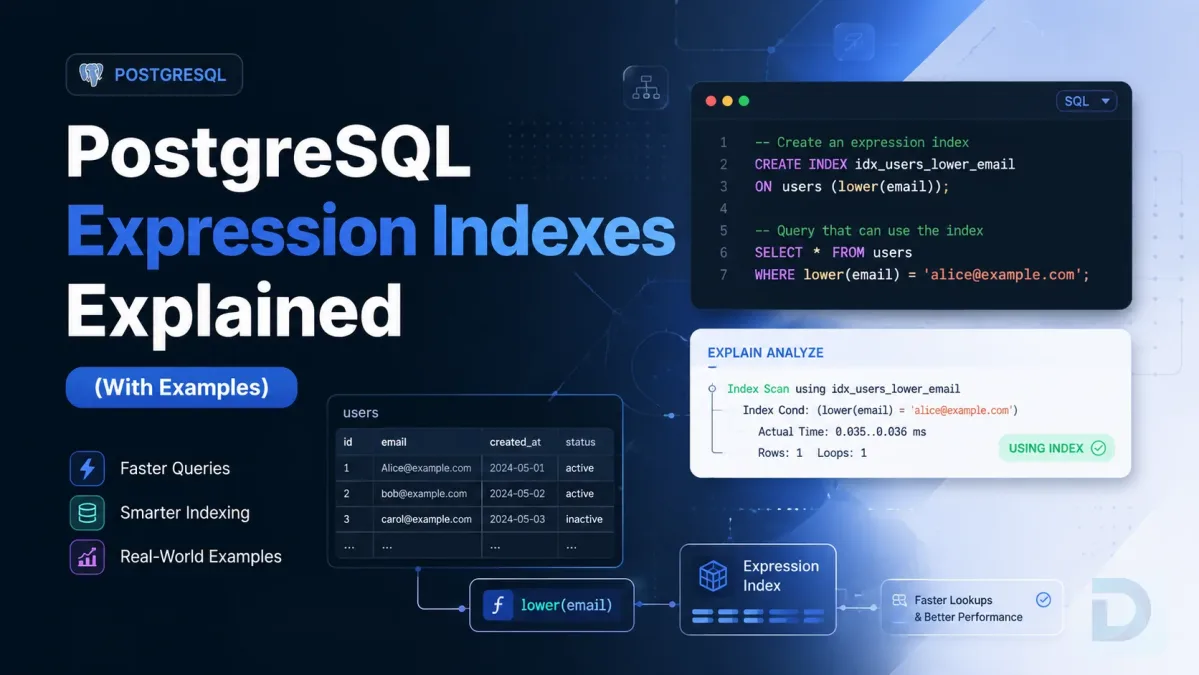
Wrapping the indexed column in a function may require additional database-specific support before the optimizer can use an index effectively:
sql WHERE LOWER(email) = '[email protected]'
That does not mean functions should never appear in filters. Some databases support expression or functional indexes specifically for these cases. The important point is that predicate shape can affect the available execution strategies.
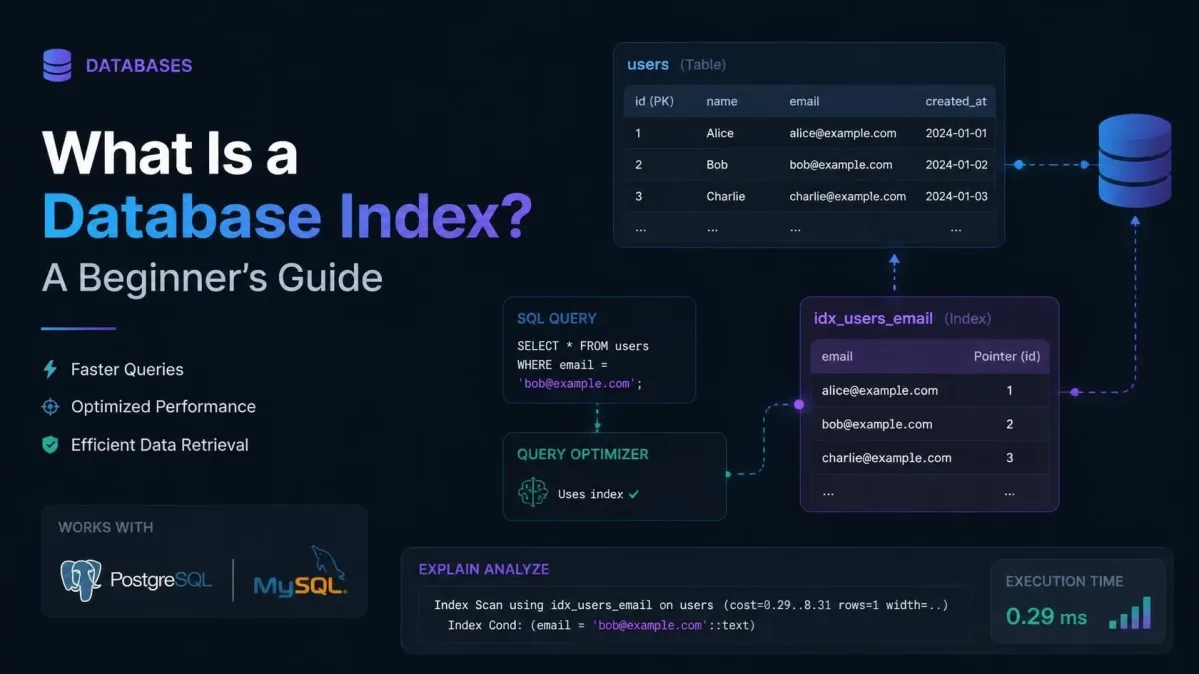
For more background, read what a database index is. PostgreSQL users can continue with the PostgreSQL query optimization guide for a deeper look at planning and execution.
Verify UPDATE and DELETE filters before execution
For destructive or large write operations:
- Run a
SELECTusing the same predicate. - Inspect the row count and sample matching rows.
- Confirm you are connected to the intended environment and database.
- Use an appropriate transaction when your workflow supports it.
- Review backup and recovery options for important data.
The most dangerous mistake in a write statement is often not complex SQL. It is a filter that matches more rows than the developer expected.
Practical SQL WHERE Examples
These SQL WHERE examples cover common patterns you can adapt directly.
Filter by an exact value:
sql SELECT * FROM tickets WHERE status = 'open';
Filter using a numeric threshold:
sql SELECT * FROM products WHERE stock_quantity < 5;
Filter using multiple conditions:
sql SELECT * FROM orders WHERE status = 'paid' AND total >= 100;
Filter against a set of allowed values:
sql SELECT * FROM users WHERE role IN ('editor', 'author', 'reviewer');
Filter rows that contain a missing value:
sql SELECT * FROM customers WHERE phone IS NULL;
Filter a text prefix:
sql SELECT * FROM products WHERE sku LIKE 'DBO-%';
Combine an exact match, a range, and a null check:
sql SELECT id, customer_id, total, paid_at FROM orders WHERE status = 'paid' AND total >= 100 AND paid_at IS NOT NULL;
The best predicate depends on the schema, data types, indexes, database engine, and business rule you are implementing. Favor explicit conditions that another developer can understand without reconstructing the logic mentally.
Key Takeaways
WHEREfilters rows using a boolean predicate.- Comparison operators handle equality and ordering comparisons.
AND,OR, andNOTcombine or reverse conditions.- Parentheses make condition precedence explicit.
INis useful for sets,BETWEENfor inclusive ranges, andLIKEfor text patterns.- Use
IS NULLandIS NOT NULLinstead of comparing a value with= NULL. - Verify write predicates with
SELECTbefore using them inUPDATEorDELETE. - Predicate design can affect whether the optimizer can efficiently use available indexes.
FAQ
The WHERE clause filters rows according to a condition. It is commonly used with SELECT, UPDATE, and DELETE so that a statement applies only to rows for which its predicate evaluates to TRUE.
Yes. Use logical operators such as AND, OR, and NOT to combine conditions. Parentheses are recommended when several logical operators appear together because they make the intended grouping clear.
WHERE filters input rows before grouping and aggregate processing. HAVING filters groups after grouping, which is why it is commonly used with aggregate expressions such as COUNT(), SUM(), or AVG().
For example:
sql SELECT customer_id, COUNT(*) AS order_count FROM orders WHERE status = 'paid' GROUP BY customer_id HAVING COUNT(*) >= 5;
Here, WHERE removes unpaid orders before grouping, while HAVING removes customer groups with fewer than five paid orders.
Use IS NULL or IS NOT NULL:
sql WHERE deleted_at IS NULL
Do not use = NULL, because ordinary comparisons with a null value do not behave like normal equality checks.
Yes. A WHERE clause restricts which rows an UPDATE modifies or a DELETE removes. Because an omitted or overly broad predicate can affect every row, verify the target rows carefully before executing write statements.
Conclusion
The SQL WHERE clause is one of the core tools for precise query filtering. Once you understand comparison operators, logical operators, IN, BETWEEN, LIKE, null handling, and condition precedence, you can express most everyday filtering rules clearly and safely.
The next step is understanding how those predicates interact with indexes and query planners, especially as tables grow and performance becomes more important. When you want to inspect and execute SQL in a graphical database environment, you can also download DBO Studio and work with queries across supported database systems.
About the author

Founder & Lead Developer at DBO Studio
Full-stack developer and creator of DBO Studio, a modern database management tool. Passionate about PostgreSQL, MySQL, SQLite, database performance, developer productivity, and building tools that simplify database workflows.
Try this in DBO Studio
Explore SQL workflows visually in DBO Studio — schemas, queries, and plans in one place.
Our newsletter
Subscribe to DBO Studio’s newsletter for exclusive tutorials, tips & product updatesRelated posts