TL;DR
PostgreSQL indexing is the primary mechanism for speeding up data retrieval. Choosing the correct index type—like B-tree for standard lookups, GIN for JSONB, or BRIN for massive time-series data—and applying strategies like partial and composite indexes drastically reduces query times while minimizing write overhead.
Effective PostgreSQL indexing is the difference between a query that executes in milliseconds and one that stalls your entire application. As datasets grow, the database can no longer rely on scanning every row to find a match. Instead, the query planner relies on indexes to locate data efficiently. This guide covers the index types available in PostgreSQL, advanced strategies for complex queries, and maintenance best practices to keep your database fast.
Introduction
Why PostgreSQL Indexing Matters
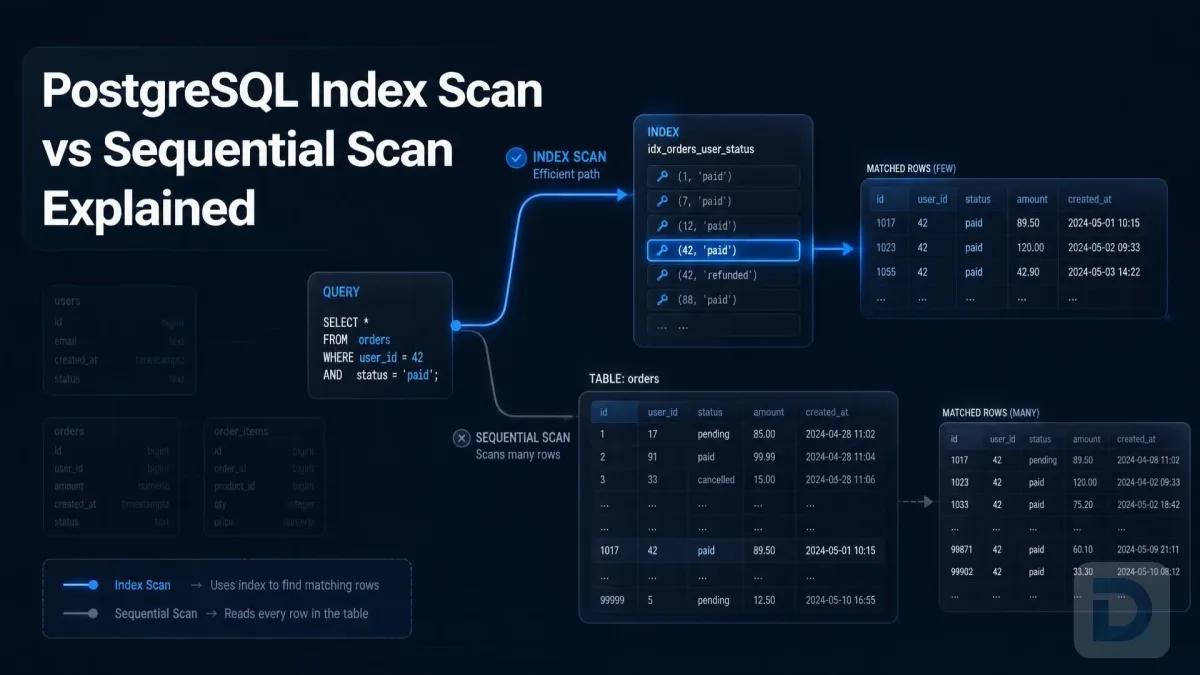
Without an index, PostgreSQL performs a sequential scan—reading every row in a table to evaluate a WHERE clause. For a table with a million rows, this is computationally expensive. An index creates a separate, ordered data structure that points back to the table rows, allowing the database to locate specific records almost instantly.
However, indexes are not free. Every INSERT, UPDATE, or DELETE must update both the table and its indexes. The goal of PostgreSQL indexing is not to index everything, but to index strategically, maximizing read performance while keeping write performance overhead manageable.
How the Query Planner Uses Indexes
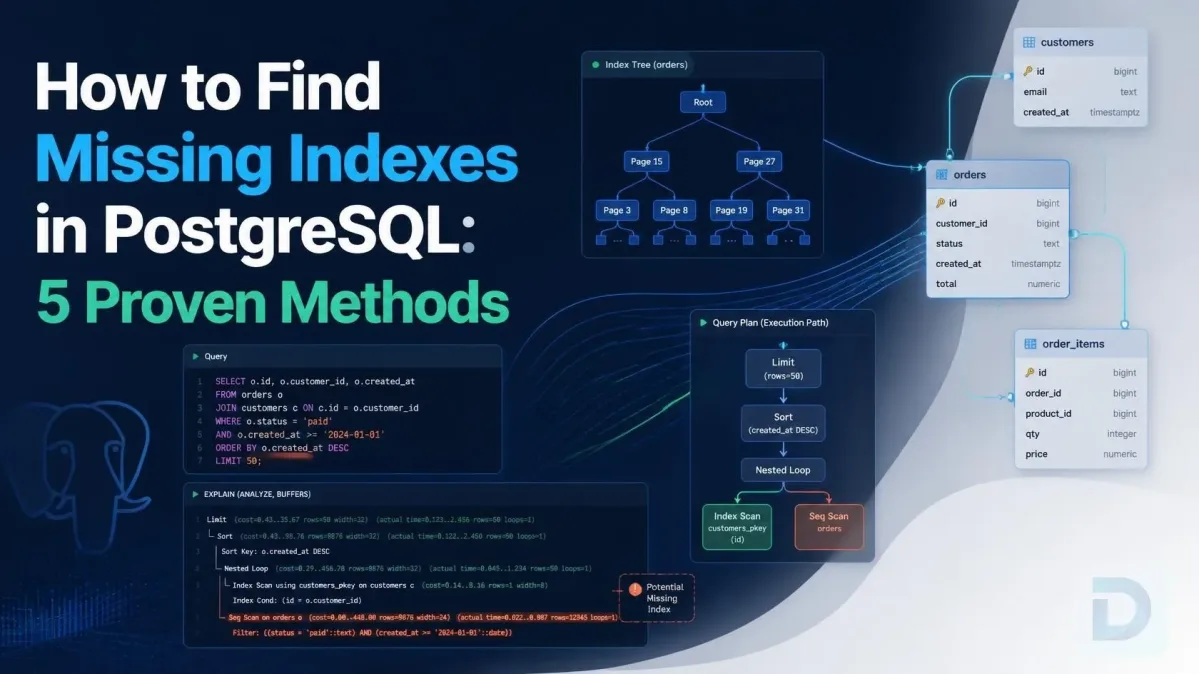
PostgreSQL uses a cost-based query planner. When executing a query, the planner calculates the estimated cost of different execution plans. If an index exists, the planner evaluates whether using it is cheaper than a sequential scan. You can observe this behavior by running EXPLAIN ANALYZE before your query. If the planner ignores your index, it typically means the table is too small, the data distribution is skewed, or the index does not match the query conditions.
Core PostgreSQL Index Types

Comparison of core PostgreSQL index types and their ideal use cases.
B-tree: The Default Index
When you run CREATE INDEX without specifying a type, PostgreSQL creates a B-tree (Balanced Tree) index. B-trees keep their data sorted, allowing the database to handle equality checks (=), range queries (<, >, BETWEEN), and ORDER BY clauses efficiently.
CREATE INDEX idx_users_email ON users (email);
The PostgreSQL B-tree index is highly versatile and should be your default choice for standard scalar data types like integers, text, and timestamps.
Hash Indexes
Hash indexes store a 32-bit hash of the indexed column's value. They are strictly designed for simple equality comparisons (=). They do not support range queries or sorting. Prior to PostgreSQL 10, hash indexes were not WAL-logged and were considered unsafe for replication. While they are now safe, B-tree indexes are often just as fast for equality checks and far more flexible, making hash indexes relatively rare in modern production environments.
GIN Indexes for Array and JSONB Data
GIN (Generalized Inverted Index) is essential when working with composite data types like arrays, JSONB, or full-text search vectors. Instead of indexing the whole value, a GIN index maps individual elements (e.g., keys in a JSONB document or words in a text array) to the rows that contain them.
CREATE INDEX idx_products_tags ON products USING GIN (tags);
Use a GIN index when your queries check for the presence of an element within a larger set, such as WHERE tags @> ARRAY['electronics'].
GiST Indexes for Geometric and Full-Text Search
GiST (Generalized Search Tree) is an infrastructure that allows building custom balanced tree structures. It is commonly used for geometric data (points, polygons) and full-text search. For example, the pg_trgm extension uses GiST indexes to speed up LIKE and ILIKE pattern matching.
CREATE EXTENSION pg_trgm;
CREATE INDEX idx_users_name_trgm ON users USING GiST (name gist_trgm_ops);
BRIN Indexes for Large Append-Only Tables
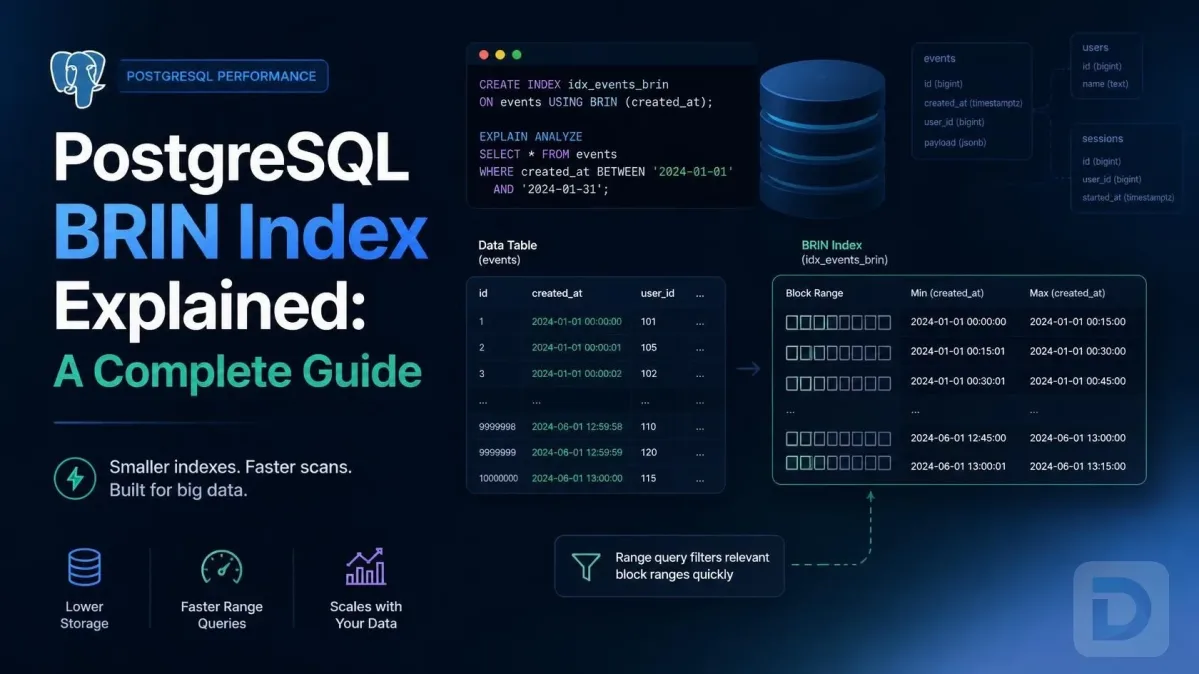
BRIN (Block Range Index) stores summaries of table blocks rather than individual row references. For example, in a time-series table, a BRIN index might simply record that block 1 contains dates from Jan 1 to Jan 5, and block 2 contains dates from Jan 6 to Jan 10.
CREATE INDEX idx_logs_created_at ON logs USING BRIN (created_at);
BRIN indexes are incredibly small—often orders of magnitude smaller than B-trees. They are highly effective for large, naturally ordered, append-only tables, but perform poorly if the data is randomly distributed.
Advanced Indexing Strategies
Composite Indexes and Column Order
A composite index (or multicolumn index) covers multiple columns in a single index structure. The critical rule for a composite index is the left-to-right column order rule: the query planner can only use the index if the WHERE clause includes the left-most column.
CREATE INDEX idx_users_city_status ON users (city, status);
WHERE city = 'Berlin'(Uses the index)WHERE city = 'Berlin' AND status = 'active'(Uses the index)WHERE status = 'active'(Cannot use this index; results in a sequential scan or uses a different index)
Place the column with the highest selectivity (most unique values) first, or the column most frequently used in standalone queries.
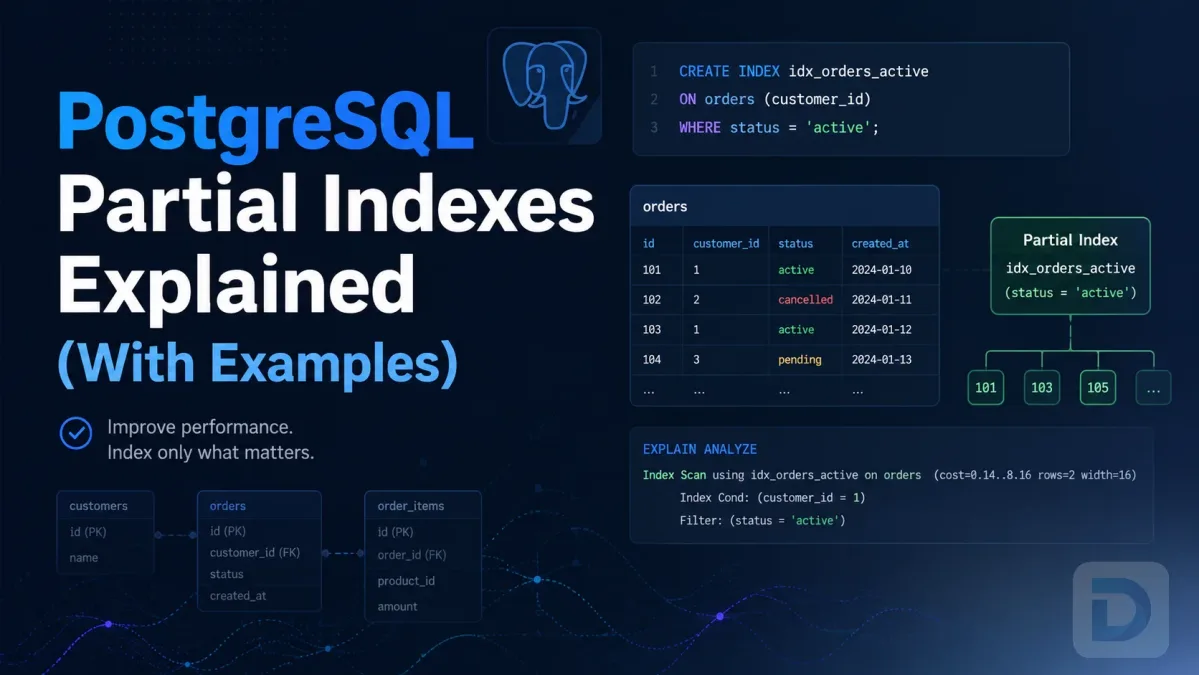
Partial Indexes for Filtered Queries
A partial index indexes only a subset of a table, defined by a WHERE clause. This keeps the index small and highly targeted.
CREATE INDEX idx_active_users ON users (email) WHERE status = 'active';
If 99% of your queries only care about active users, a partial index drastically reduces the index size and speeds up lookups by excluding irrelevant rows entirely.
Covering Indexes and Index-Only Scans
Typically, an index points to the heap (the main table file), requiring a lookup to fetch non-indexed columns. A covering index includes all columns required by the query, enabling an index-only scan. PostgreSQL achieves this by adding the extra columns to the INCLUDE clause.
CREATE INDEX idx_users_email_name ON users (email) INCLUDE (first_name, last_name);
For a query like SELECT first_name, last_name FROM users WHERE email = '[email protected]', PostgreSQL reads entirely from the index, never touching the table. This is one of the most effective PostgreSQL query optimization techniques.
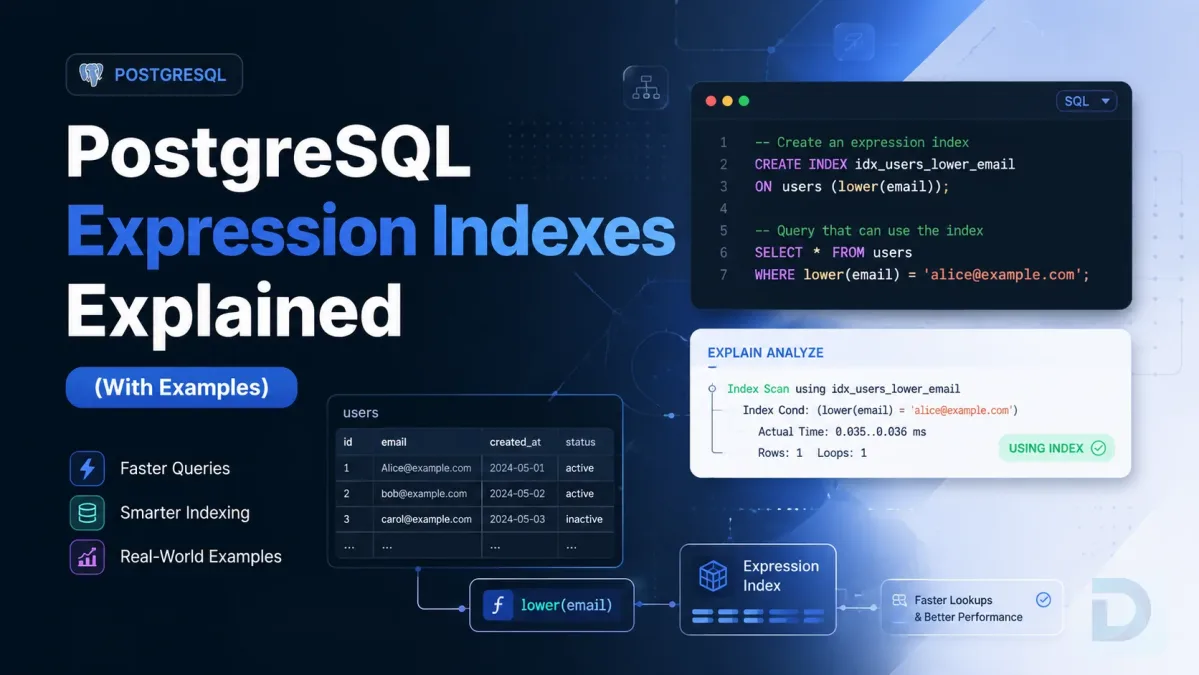
Expression Indexes
If you frequently query a transformed version of a column (e.g., LOWER(email)), a standard B-tree index will not work. You must index the expression itself.
CREATE INDEX idx_users_lower_email ON users (LOWER(email));
The query must exactly match the expression: WHERE LOWER(email) = '[email protected]'.
Index Creation and Maintenance
Creating Indexes Concurrently
By default, CREATE INDEX locks the table against writes until the index finishes building. On a large production table, this causes downtime. To avoid this, use the CONCURRENTLY keyword.
CREATE INDEX CONCURRENTLY idx_users_email ON users (email);
Concurrent index creation takes longer and requires more CPU and disk I/O, but it allows the application to continue reading and writing to the table. Note that if the concurrent build fails, it leaves an invalid index that must be dropped before retrying.
Monitoring Index Usage with pg_stat_user_indexes
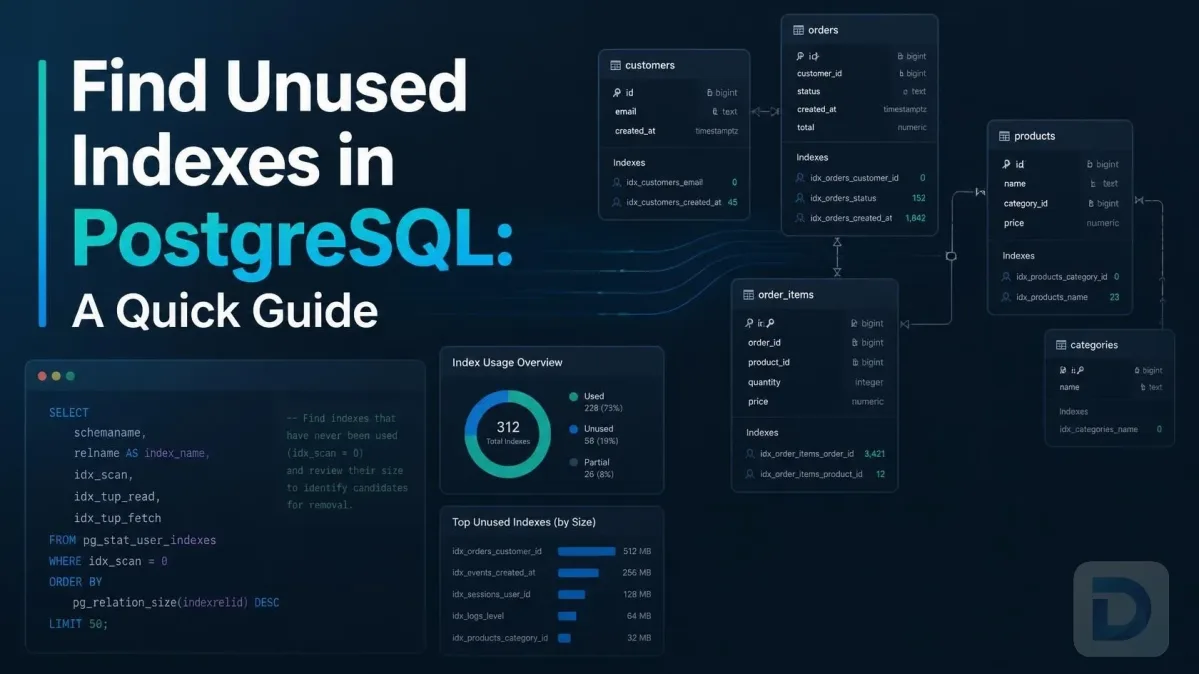
Over time, applications change, and indexes created years ago may no longer be used. Unused indexes waste disk space and slow down writes. You can identify them using the pg_stat_user_indexes view.
SELECT relname, indexrelname, idx_scan
FROM pg_stat_user_indexes
WHERE idx_scan = 0
ORDER BY pg_relation_size(indexrelid) DESC;
If idx_scan is zero or very low for a non-unique index, it is a strong candidate for removal. You can inspect execution plans visually using a modern database GUI like DBO Studio.
Managing Index Bloat with REINDEX
Due to PostgreSQL's MVCC architecture, frequent updates and deletes leave behind dead tuples. While VACUUM marks this space as available for reuse, index pages can become fragmented and inefficient—a phenomenon known as index bloat.
To rebuild a bloated index, use the REINDEX command. To avoid locking the table, use REINDEX CONCURRENTLY.
REINDEX INDEX CONCURRENTLY idx_users_email;
Regularly monitoring bloat and reindexing is a core component of database administration. For production environments, check the latest DBO Studio releases for tooling updates that simplify index management.
When NOT to Index
Impact on Write Performance
Every index adds write performance overhead. A table with 10 indexes requires PostgreSQL to update 10 separate data structures on every INSERT or UPDATE. For write-heavy workloads (e.g., high-throughput logging tables), minimize indexing to only what is absolutely necessary for critical read queries.
Small Tables vs. Sequential Scans
For very small tables (e.g., a few hundred rows), a sequential scan is often faster than an index scan. Reading the index and then performing a heap lookup involves multiple disk I/O operations. Reading a small table directly from disk into memory in one pass is frequently cheaper. The query planner usually recognizes this, but manually indexing tiny lookup tables is generally unnecessary.
Low-Selectivity Columns
Indexing a column with very few unique values (e.g., a boolean is_active column with only true and false) provides little benefit. The index will return a massive portion of the table, and the planner will correctly choose a sequential scan anyway. Partial indexes are the exception here: a partial index on is_active = true is useful if 99% of rows are false.
Key Takeaways
- Default to B-tree for standard equality and range queries on scalar types.
- Use GIN for arrays, JSONB, and full-text search; use GiST for geometric data and trigram text search.
- Consider BRIN for massive, append-only tables to save massive amounts of disk space.
- Respect column order in composite indexes, and use the
INCLUDEclause to enable index-only scans. - Always use
CREATE INDEX CONCURRENTLYin production to prevent write locks. - Audit unused indexes regularly via
pg_stat_user_indexesand manage bloat withREINDEX CONCURRENTLY.
Conclusion
PostgreSQL indexing is a powerful tool, but it requires a nuanced understanding of your data access patterns. By selecting the appropriate index types, leveraging partial and covering indexes, and maintaining them properly, you can achieve dramatic improvements in query response times. Regularly review your execution plans to ensure your indexes are working as intended.
FAQ
The default index type in PostgreSQL is B-tree. When you execute a standard CREATE INDEX statement without specifying the USING clause, PostgreSQL automatically creates a B-tree index.
Use a GIN index when querying composite data types like arrays or JSONB where you need to check if an element exists within the data (e.g., using the @> or ? operators). B-tree indexes are better for standard scalar comparisons and sorting.
Add the CONCURRENTLY keyword to your CREATE INDEX statement. This builds the index in the background without blocking writes to the table, though it takes longer and consumes more resources.
Index bloat occurs when frequent updates and deletes leave empty, fragmented space within index pages due to MVCC. You fix it by rebuilding the index using the REINDEX command, preferably with the CONCURRENTLY option to avoid locking.
Yes. Every index adds overhead to write operations. When a row is inserted or updated, PostgreSQL must update all associated indexes. On write-heavy tables, excessive indexes significantly degrade INSERT and UPDATE performance.
About the author

Founder & Lead Developer at DBO Studio
Full-stack developer and creator of DBO Studio, a modern database management tool. Passionate about PostgreSQL, MySQL, SQLite, database performance, developer productivity, and building tools that simplify database workflows.
Try this in DBO Studio
Explore PostgreSQL workflows visually in DBO Studio — schemas, queries, and plans in one place.
Our newsletter
Subscribe to DBO Studio’s newsletter for exclusive tutorials, tips & product updatesRelated posts